











One step behind
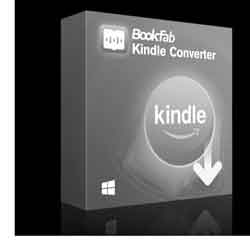
In the thread below, Uncle Al asked if I had a solution for Amazon books (specifically their ability to delete items already in your collection). The answer WAS yes – a program called BookFab (you may remember DVDFab, from the same company).
Six weeks ago, when you downloaded a file, it went into a specific directory, usually \Documents\My Kindle Content. If you downloaded the app with BookFab running, it would find the book and convert it to a DRM-free pdf. This was important to me because, as I mentioned before, my favorite Kindle reader is a reMarkable tablet and it won’t read native Kindle format.
BookFab gave you three goes and then made you pay. I immediately paid and downloaded all the titles I wanted to store locally.
Last Fall, with firmware revision 5.18.5, Amazon tightened its DRM on Kindle devices and eliminated the Download & Transfer via USB option. It closed most common workarounds for backing up books outside the Kindle ecosystem.
A couple of months ago, the Kindle for PC icon turned gray and renamed itself Kindle Legacy. That began the countdown. Eventually, they killed it and replaced it with a new Kindle app that can only be downloaded from the App Store and uses much stricter DRM.
Bastards.
So far, nobody’s broken it. But our friends at DVDFab are Chinese – meaning clever and they don’t give a fuck about American IP. I have faith.
I notice on their discussion forum, they released a new version today, but comments are closed. I read the release notes and it doesn’t mention Kindle, but I suspect they’re actively working on it.
p.s. While I was writing this, I clicked the Kindle Legacy icon to see what would happen. Nothing. For about ten minutes. To my surprise, it’s just loaded and shows books I bought recently. I don’t suppose it works as before, but I’m surprised it works at all. And it cheerfully informs me “Announcing the new Kindle app! Switch to the new Kindle app today, featuring drag-and-drop import, drag to multi-select, and app-wide dark mode.”
It’s a trap!
Posted: August 4th, 2026 under personal.
Comments: 2
Comments
Comment from S. Weasel
Time: August 4, 2026, 6:30 pm
According to Grok:
BookFab (DVDFab) has released updates claiming support for the new Microsoft Store “Kindle for Windows” app. Some users report that the latest versions can detect and convert books downloaded through the new app after a clean install. However, real-world results are mixed:
Many people are still getting authorization/license errors or incomplete conversions, especially with newly purchased books.
Support for the newest DRM (the harder KFX variants introduced in late 2025/2026) is inconsistent.
Some users say it works for older books they already had downloaded, but fails on recent titles.
There are ongoing complaints on forums about the tool needing frequent updates every time Amazon tweaks something.
Bottom line
BookFab is not fully working reliably for most people right now the way it used to. It is in the same cat-and-mouse situation as other paid converters (Epubor, etc.) — the developers are trying to catch up, but Amazon’s changes (killing the old PC app + stronger DRM) have made it much less dependable.
If you try it, make sure you have the absolute latest version of BookFab and a clean install of the new Kindle for Windows app, then test with a cheap or free book first. Many people who previously relied on it have had to look for alternatives or accept that reliable DRM removal is currently much harder.
Comment from Uncle AL
Time: August 4, 2026, 8:06 pm
Thanks 1e6 for the hard news. May the Chinese hackers persevere!
Write a comment
Beware: more than one link in a comment is apt to earn you a trip to the spam filter, where you will remain -- cold, frightened and alone -- until I remember to clean the trap. But, hey, without Akismet, we'd be up to our asses in...well, ass porn, mostly.<< carry me back to ol' virginny